


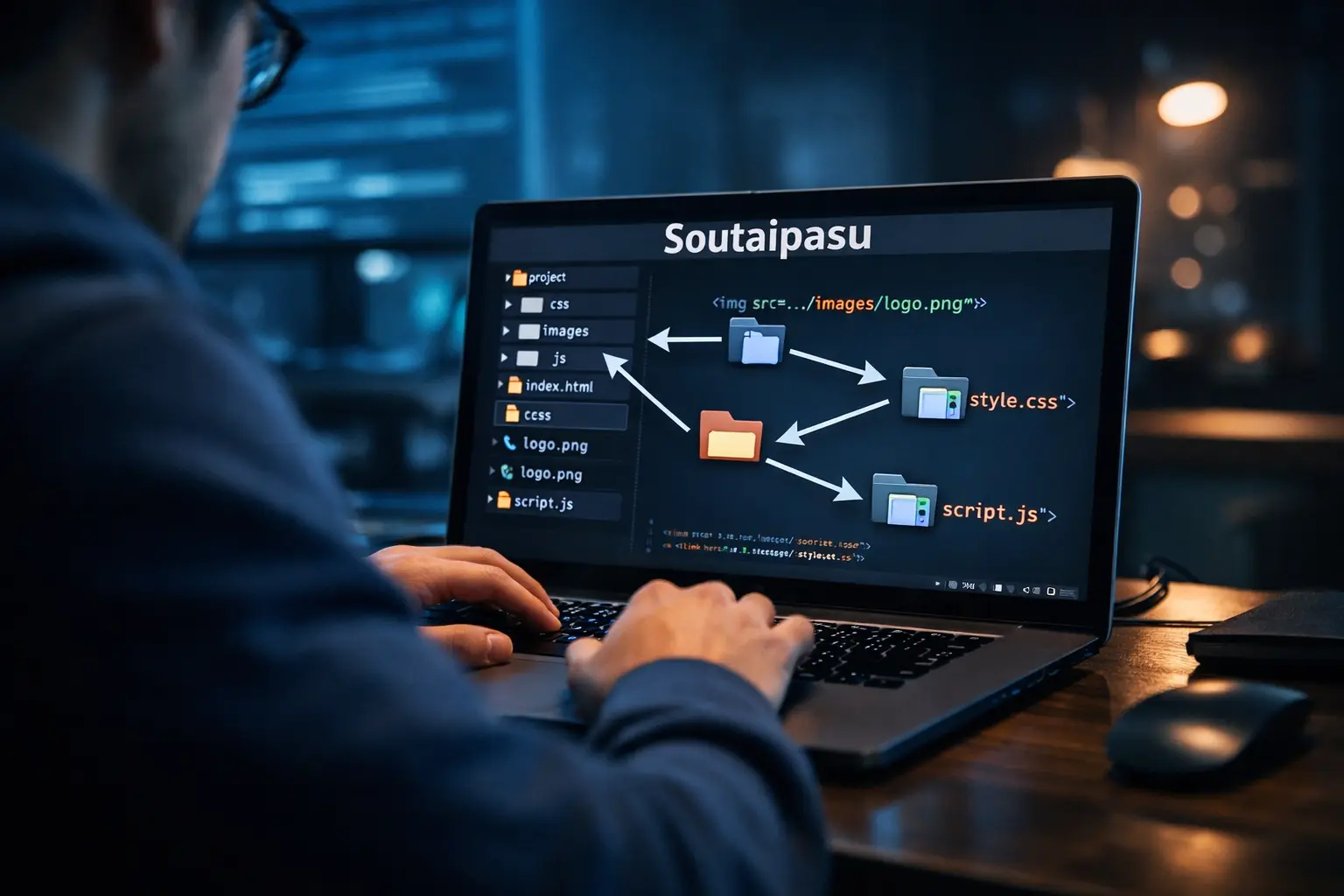
What Is Soutaipasu?
When people first see this word, they often feel confused. It does not sound familiar in English, and search results around it can be mixed. Some pages talk about coding, while others make it sound like a trend, a product, or even a dish. That is exactly why this topic needs a clear and simple explanation.
In the most useful and practical sense, Soutaipasu is the Japanese way of saying relative path. A relative path is a file location written from the point of view of the current folder. Instead of showing the full address of a file from the very beginning of the system, it shows the shorter route from where you already are. This idea is common in websites, apps, and many kinds of digital projects.
That is why this term matters. It is not only a word from technical language. It is also a concept that helps people build and organize digital work in a cleaner way. Once you understand the basic idea, the rest becomes much easier.
| Term | Simple meaning |
|---|---|
| Relative path | A shorter file route based on the current folder |
| Absolute path | The full file address from the root or starting point |
| Folder | A place where files are stored |
| File structure | The way folders and files are arranged in a project |
Another reason people search this topic is because the internet often turns a small term into a bigger mystery. When many low-quality pages copy one another, a simple idea starts to look strange or deep. In reality, the main meaning is practical and easy. It belongs to file paths, website structure, and digital organization.
Soutaipasu in Technology
In technology, this concept is important because digital systems need clear directions. A browser needs to know where an image is. A webpage needs to know where the stylesheet is. A script needs to know which file to load next. If those directions are wrong, the page breaks, the image disappears, or the script does not run.
This is where Soutaipasu becomes useful. It helps developers connect one file to another without always writing the full system address. If a project moves from one computer to another, or from a local machine to a live server, relative paths often keep working as long as the folder structure stays the same. That makes them flexible and practical.
There is also an important difference between relative and absolute paths. An absolute path is complete and direct, but it can be too rigid. It depends on one fixed location. A relative path is lighter and more portable. It depends on relationships between folders. In many website projects, that relationship is exactly what developers need.
Here is a simple comparison:
| Path type | Example style | Main advantage | Main weakness |
|---|---|---|---|
| Relative path | ../images/photo.jpg | Easy to move with the project | Can break if folder levels change |
| Absolute path | /var/www/site/images/photo.jpg or full URL | Very direct and clear | Less flexible when moving files |
In everyday development, people use relative paths in HTML, CSS, JavaScript, template systems, and content management tools. Even beginners meet them early. If someone adds an image to a webpage, links one page to another, or imports a script, they are already working with this idea, even if they do not know the Japanese name for it.
So this is not just a theory topic. It is part of normal digital work. That is why understanding it can save time, reduce errors, and make someone more confident when handling files.
How Soutaipasu Works in Real Digital Environments
To understand how it works, imagine a small website project. There is one main folder called website. Inside it, there is an index.html file, a folder named images, and another folder named css. If the home page wants to show a logo stored in the images folder, the page can point to that image with a short path. It does not need to write the full drive location.
For example, if index.html and the images folder are at the same level, the path to the image may look like this.
This becomes very useful in real projects. A blog page may pull an image from a media folder. A product page may load a stylesheet from a design folder. A script file may import another file from a nearby directory. These are small actions, but together they shape how a site functions.
A good case study is a simple business website. A team builds the site on one computer and later uploads it to a server. If most file connections use relative paths and the folder structure stays organized, the site can move with fewer issues. Images still load, styles still apply, and links still work. That is the quiet strength of this method. It supports movement and structure without making everything heavy.
Benefits of Soutaipasu
One of the biggest benefits is portability. A project can be moved from one place to another without needing to rewrite every file address. This matters in real work because websites are often tested in one place and published in another. If all file links depend on fixed local locations, the project can fail after upload.
Another benefit is cleaner project management. Relative paths encourage people to think in terms of folder relationships. That often leads to better organization. When files are grouped in sensible folders like images, scripts, and styles, the whole project becomes easier to read and maintain.
It also helps with teamwork. When several people work on one project, a consistent folder structure makes collaboration smoother. Everyone can understand where things are stored and how they connect. That reduces confusion and makes problem solving faster.
A few practical advantages are easy to see:
- less dependence on one machine or one server location
- easier transfer between development and live environments
- cleaner file references inside projects
- better support for organized folder systems
There is also a learning benefit. Once a beginner understands this idea, many parts of web development start making more sense. Linking pages, loading images, importing code, and handling assets all become easier. It is one of those small concepts that opens the door to many other skills.
Common Mistakes With Soutaipasu
The most common mistake is getting the folder level wrong. A person may think a file is one folder away when it is really two folders away. This leads to broken images, missing styles, or scripts that do not load. The file exists, but the path points to the wrong place.
Another mistake is changing folder structure after the site is built. If someone moves files into new folders without updating the paths, links break. This often happens during redesigns or cleanup. A team may want a neater structure, but forget that each move changes the route.
Mixing relative and absolute methods carelessly can also create problems. For example, one page may use a local file path, while another page uses a server-based URL. The site may work in one environment but fail in another. This kind of issue can be frustrating because it looks random until the file paths are checked carefully.
Here is a small troubleshooting table:
| Problem | Likely cause | Simple fix |
|---|---|---|
| Image not showing | Wrong folder path | Check where the image file really is |
| CSS not loading | Incorrect file reference | Confirm the stylesheet location |
| Script not working | Path starts from wrong level | Use the right number of ../ steps |
| Site breaks after moving | Structure changed | Update paths to match new folders |
A useful habit is to test links right after creating them. Another good habit is to keep folders neat from the beginning. Good structure prevents many errors before they start.
Why Soutaipasu Is Trending
The rise in interest around this word is not only about coding. It is also about how search behavior works today. Sometimes a term becomes popular because people keep seeing it without a clear explanation. Curiosity grows, and search volume follows. A confusing word can become a trending keyword simply because nobody explains it well at first.
This topic also sits at the meeting point of technology and content culture. In recent years, many websites have published articles around unusual terms to catch search traffic. Some of those pages are useful, but many are vague. That creates a cycle. One unclear page leads to more confusion, and more confusion leads to more searches.
There is another reason too. People are now more interested in digital skills than before. Basic web development, file management, SEO, and online publishing are part of many jobs and businesses. So when an unfamiliar technical term appears, readers want a plain answer. They do not want a complex lecture. They want to know what it is, why it matters, and whether they should care.
That is why a keyword like this can grow. It sounds rare, it feels mysterious, and it has just enough technical value to attract both curious readers and practical learners. In that sense, its popularity makes sense. The web often rewards topics that are simple at the core but confusing in public discussion.
Soutaipasu in Modern Web Development
In modern web development, file structure is still a basic part of good work. Even when frameworks, build tools, and cloud systems are involved, developers still need to understand where files live and how they connect. The tools may become more advanced, but the logic of file relationships does not disappear.
This idea appears in static sites, template systems, design components, asset folders, and documentation projects. It is especially useful in projects where people want clean organization and easy movement between environments. A simple site may use it directly in HTML and CSS. A larger app may handle it through more advanced tools, but the core thinking remains the same.
There is also an SEO angle to this. Good structure often supports better site management. When assets are stored properly and internal files are connected clearly, developers can fix issues faster. That can help page speed, reduce broken assets, and improve user experience. While search engines do not rank a page just because it uses one kind of path, strong technical structure supports the health of a site.
A short practical example helps here. Imagine an online store with product pages, icons, style files, and scripts. If the store grows over time, the number of files can become large. A clean folder system with reliable relative paths can make updates much easier. The team can add pages, change templates, and move the site with less friction. That does not sound exciting, but it is a real advantage in daily work.
Frequently Asked Questions
Is it a dish?
No. The strongest and most practical meaning points to a technical term, not a food item. The confusion comes from mixed web content, not from culinary use.
Is it hard to learn?
Not at all. The basic idea is simple. It is just about giving file directions from the current location instead of writing the full address every time.
Why does it matter for websites?
Websites need files to connect properly. Pages load images, styles, scripts, and links. If those paths are wrong, things break. Understanding this concept helps avoid those problems.
Should beginners care about it?
Yes. It is one of the easiest technical ideas to learn, and it gives quick practical value. Anyone building a website, editing templates, or uploading files can benefit from understanding it.
What is the easiest way to remember it?
Think of it as local directions. You are not describing the whole world. You are only describing how to reach something from where you are standing now.
Final Thoughts
This topic may look confusing at first, but the core idea is very simple. It is about file directions, structure, and practical digital work. Once that is clear, the mystery fades. What remains is a useful concept that helps people build cleaner projects and avoid common mistakes.
Many search terms become complicated online because too many pages repeat unclear explanations. The best way to understand them is to return to the basic function. In this case, that function is direct and useful. It helps files connect, pages work, and projects move more smoothly.
Read More : Gocryptobet.com Wallet: A Complete Guide for Crypto Users
